


MongoDB with Raspberry Pi : your own database...
- Rahul Singh

- Apr 10, 2018
- 2 min read
Definition - What does MongoDB mean?
first, let's understand what is NoSQL :
NoSQL is an approach to database design that can accommodate a wide variety of data models, including key-value, document, columnar and graph formats. NoSQL, which stands for "not only SQL," is an alternative to traditional relational databases in which data is placed in tables and data schema is carefully designed before the database is built. NoSQL databases are especially useful for working with large sets of distributed data.
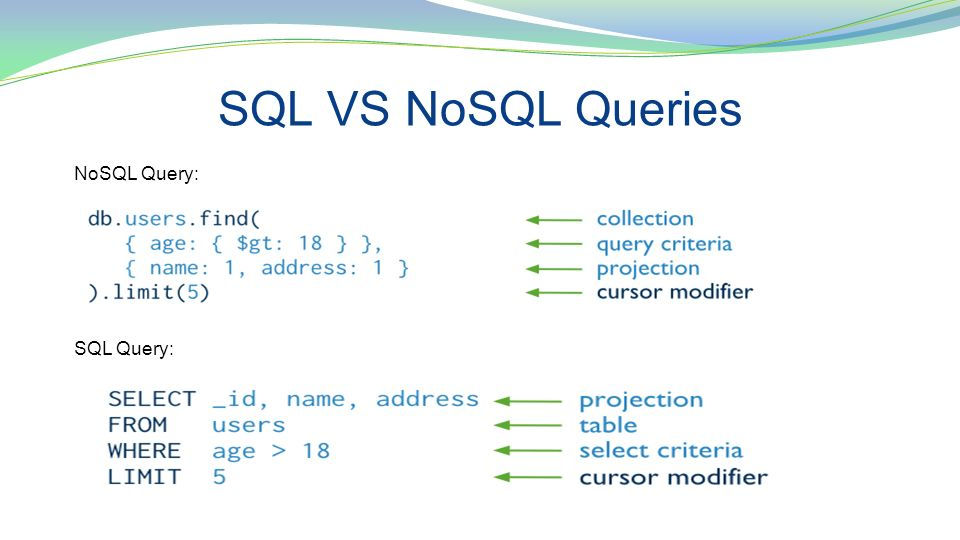
MongoDB is a cross-platform and open-source document-oriented database, a kind of NoSQL database. As a NoSQL database, MongoDB shuns the relational database’s table-based structure to adapt JSON (Javascript object notation)-like documents that have dynamic schemas which it calls BSON (Binary JSON). This makes data integration for certain types of applications faster and easier. MongoDB is built for scalability, high availability and performance from a single server deployment to large and complex multi-site infrastructures.
MongoDB became one of the most popular NoSQL databases, being used as the backend for many major websites including eBay, Craigslist, SourceForge and The New York Times.
"Key" : "value" pair syntax of JSON :
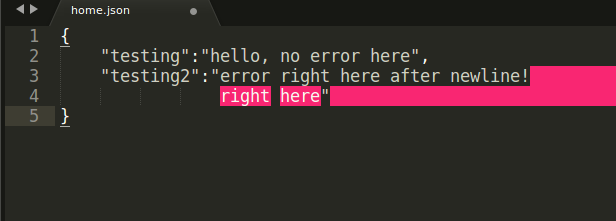
File arrangement in MongoDB :

Installing MongoDB on Raspberry Pi :
For this, you should have a raspberry pi running Raspbian Jessie. open up the terminal window of raspberry pi and follow these simple steps. we have to add the mongo resource file into Pi only then we will be able to install the Mongo in Pi.
Add the following command to the source-list file of Pi :
deb http://repo.mongodb.org/apt/debian jessie main
you can access the source-list file by simply typing the following command into the pi terminal :
/etc/apt/source.list
after you done this save the source.list file by " ctrl+O " and exit the file by " ctrl+X ".
Then for installing type following command into Pi terminal :
apt-get install mongodb
Now open up the Mongo configuration file using :
nano /etc/mongodb.conf
now add the following line at the end of the configuration file and save it :
smallfiles=true
Now Mongo database is installed in your Raspberry Pi and you can start using it. but before using we have to start the mongo server.
To start the Mongo service we'll type the following command :
/etc/init.d/mongodb start
For using MongoDB we can use mongo shell by simply typing :
mongo
If you face any problem regarding the permission in any of the given commands just add sudo in starting of the command and run it again.
Comments